Taylor's iPhone · Connecting…
AirPlay to your PC.
Beautifully.
Mirror your iPhone, iPad or Mac to your PC in a floating pane of glass, and stream AirPlay music in true lossless. Install it, pick your PC, done.
Free to try
Windows 10 & 11
Open source
No account needed
Clair de Lune
Debussy · from Taylor's iPhone
ALAC 16-bit / 44.1 kHzLossless · bit-perfect
Screen Mirroring
Screen Mirroring
Living Room PC
Bedroom TV
Clair de Lune
Living Room PC
An animated illustration. Prefer the real thing? See actual frames ↓
0fps mirroring
0silky animations
0GPU when idle
1:1bit-perfect music
Try it, right here
Go on, grab it.
That's the actual AirGlass Pro window, running in your browser. Drag it around, stretch a corner, scroll to zoom, double-click for full screen.
✓ Nice. You've just used AirGlass Pro.
Wallpaper: Claude Monet, The Houses of Parliament, Sunset, 1903. National Gallery of Art, Washington, public domain.
Like it? It's yours for $9.99, once. Get AirGlass Pro
Features
Feels like it shipped with Windows.
A native app built for speed. Every Apple device on your network sees your PC as an AirPlay receiver, with nothing to configure.
Screen Mirroring
Control Center, Screen Mirroring, your PC. The picture springs in within a blink and melts away when you're done.
Lossless music
AirPlay music arrives as Apple Lossless and plays bit-for-bit, through a studio-grade resampler.
Smooth
Hardware video decoding and about 60 fps mirroring, with every animation running at your display's full refresh rate, up to 120 Hz.
Rotation that flows
Turn your phone sideways and the window morphs to match, with no jump cut and no black bars.
Light and tidy
No Bonjour install, no .NET, no adware, no nagging updater. Just a quiet icon in your tray.
Private
Your screen and music never leave your home network. No account, no analytics, no cloud.
Not a mockup
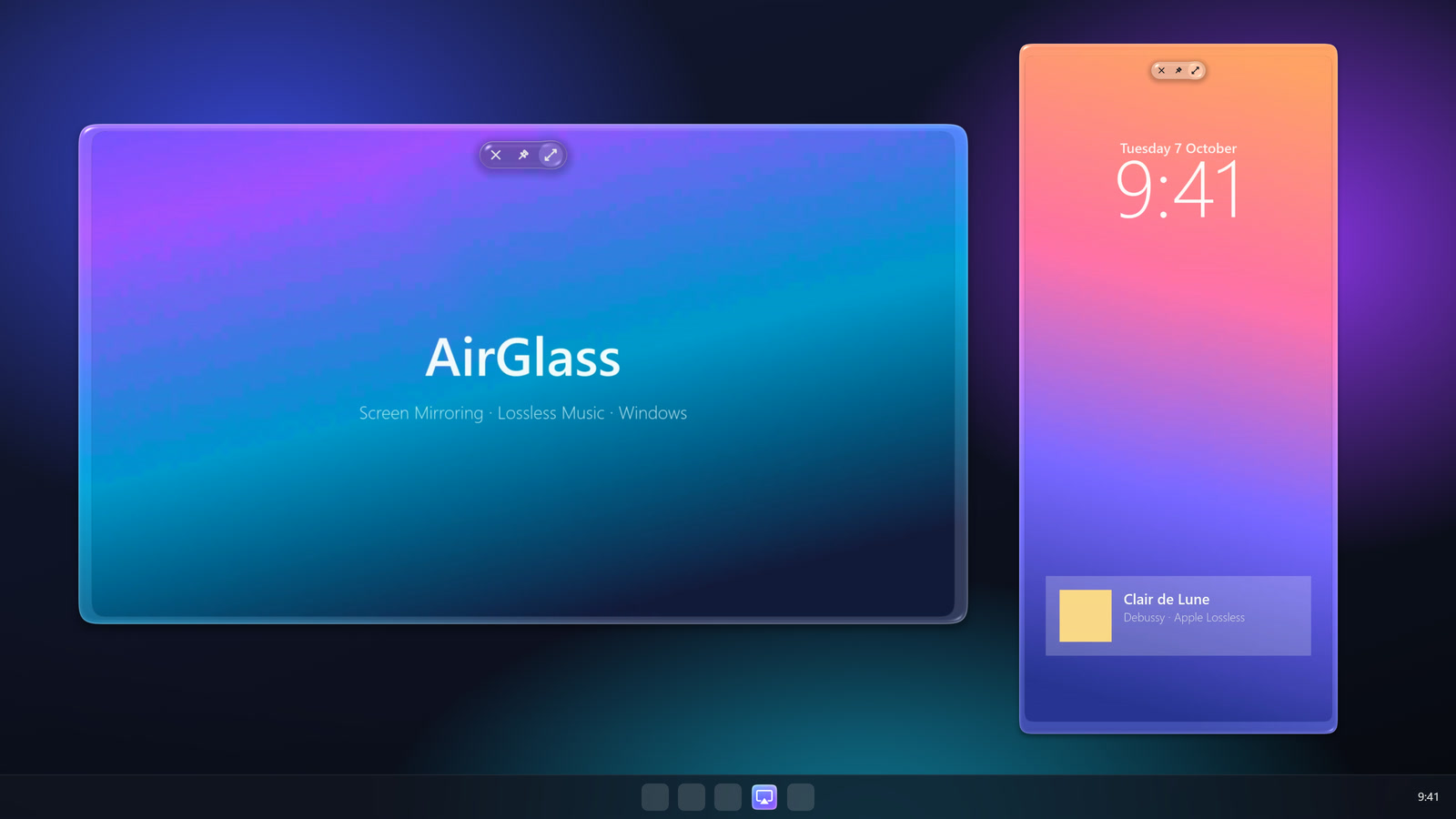
Real frames, rendered live.
Captured straight from AirGlass's GPU renderer. The refracting rim, the floating controls and the soft shadow are drawn fresh, every single frame.
Sound
Every bit, exactly as sent.
Choose your PC from the AirPlay button in Music and AirGlass plays Apple Lossless at CD quality. Our test suite checks the output against the original, bit for bit.
- ALAC 16-bit / 44.1 kHz, decoded bit-exact
- One conversion only, with a 128-tap windowed-sinc filter (>105 dB clean)
- Lost Wi-Fi packets are fetched again, so drop-outs are rare
- Play, pause and skip from your PC, with track info and artwork
iPhoneALAC
Wi-FiRTP · AES
AirGlassPCM out
PCM in = PCM out✓ identical
“Clair de Lune” means moonlight. Winslow Homer, Moonlight, Wood Island Light, 1894. The Metropolitan Museum of Art, public domain.
Getting started
Up and running in a minute.
No pairing codes, no accounts. Your PC and your Apple device just need to share a network.
Install it
Run the installer. AirGlass settles into your tray and starts with Windows, so it's always ready.
Pick your PC
On your iPhone, iPad or Mac, open Screen Mirroring (or tap the AirPlay button in Music) and choose your PC.
Enjoy
Your screen floats onto the PC in glass, and music plays through your speakers in lossless quality.
Pricing
Try it free. Unlock the glass for $9.99.
The free edition mirrors full screen and plays lossless music, so you can make sure it works with your devices before paying anything.
Free
$0
- Screen Mirroring, full screen
- Lossless AirPlay music
- iPhone, iPad and Mac
- Floating glass window
- Move, resize, zoom, keep on top
The full glass
Pro
$9.99 one-time
- Everything in Free
- Floating Liquid Glass window
- Move, resize, smooth zoom
- Keep on top and corner float
- Use on up to 3 PCs
Prices in USD. Local taxes are added at checkout by Lemon Squeezy, our payment partner. Your license key arrives by email: paste it into AirGlass from the tray icon (Unlock windowed mode).

Ready when you are.
One download for Windows 10 and 11 (64-bit). Start free, and unlock Pro with a key whenever you like.
Download for WindowsOpen source (GPL-3.0) · read the code · every release is built in public by GitHub Actions
Good questions
Does my PC need to be on the same Wi-Fi?
Same network, yes; same connection type, no. A phone on Wi-Fi and a PC on Ethernet work fine through the same router. Guest networks and routers with "client isolation" block AirPlay.
Which devices work?
Any iPhone, iPad or Mac with Screen Mirroring, plus any app that plays AirPlay audio: Music, Spotify, podcasts and more.
Does it mirror in 4K?
AirGlass asks for 1080p on purpose. Phones asked for 4K landscape drop to about 28 fps, while 1080p stays at a smooth 60. Full screen is upscaled with a high-quality filter.
Can I AirPlay a YouTube or Netflix video?
Use Screen Mirroring for anything on your screen. AirGlass doesn't support the "send a video link" kind of AirPlay, and protected video (Netflix and similar) mirrors as black. That's the apps' choice, not ours.
Is there a subscription?
No. Pro is $9.99, once, and covers up to 3 of your PCs.
Windows warns me about the installer. Is it safe?
Windows is cautious about new apps from small developers until they build up a reputation. Click More info, then Run anyway. The code is public, and every release is built in the open by GitHub Actions.
Refund policy
Changed your mind? You can get a full refund within 14 days of purchase, as long as you've used Pro for fewer than 10 mirroring sessions. AirGlass shows your count in its tray menu. Just reply to your receipt email. Refunded keys are deactivated. This doesn't affect your statutory rights.
Privacy
- No analytics, tracking or account.
- Mirroring and music stay on your local network.
- Activating Pro sends your license key and PC name to Lemon Squeezy to check the key. AirGlass re-checks it once per start.
- Purchases are handled by Lemon Squeezy (merchant of record) under their privacy policy.
- This website uses no cookies or trackers.
Terms
AirGlass is provided as-is, without warranty, under the GNU GPL-3.0. A Pro license is personal, one-time and valid on up to 3 PCs. Support: open a support request.